
6 New Features to Explore in Gratona This October
Gratona
This Month’s Number: 44
Donor-advised fund revenue grew a median 44% in 2025 among nonprofits reporting this measure in the 2026 M+R Benchmarks Study. But here’s the interesting question: when a grant arrives, are you recognizing the generosity behind it, or just recording the transaction? M+R Benchmarks 2026
This October, we’re giving you a sneak peek at dedicated records for donor-advised fund grants and charitable gifts from individual retirement accounts. Discover how you can connect the institution, supporter, and gift details, while tailoring acknowledgments to each source. Because behind every grant is a supporter worth knowing, and a relationship worth nurturing.
Clearer records. Closer connections. More time for your mission.
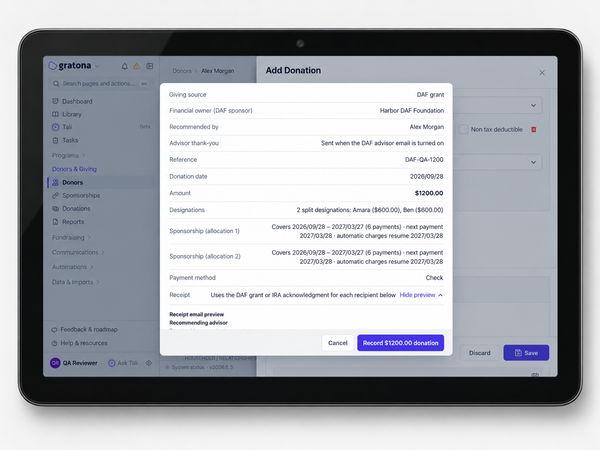
Donor-Advised Funds. Keep Generosity Personal
Recognize the person behind the gift. Record received donor advised fund grants and gifts from individual retirement accounts, including qualified charitable distributions (QCDs). Keep the institution, recommending supporter or account owner, and gift details together. Source specific acknowledgments, reports, and exports help your team recognize support while keeping these gifts distinct from direct donations. Learn How to Record DAF and IRA Gifts
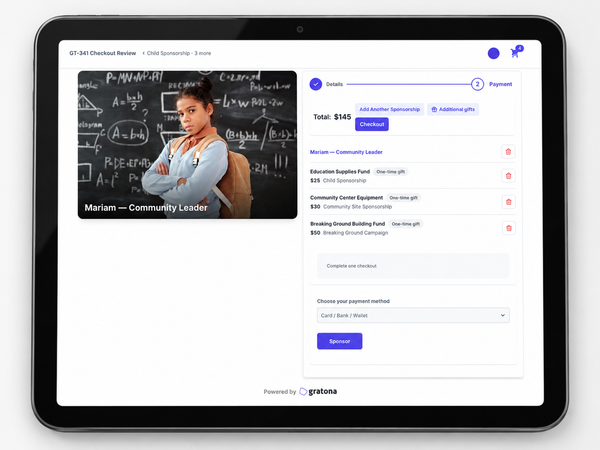
Give Across Programs. Check Out Once
Support more of the mission in one visit. Supporters can combine sponsorships and gifts to designated funds from compatible programs in a single checkout. Each gift stays linked to the right program, with one payment and one receipt. Fewer repeated steps for donors. Clear program records for your team. Explore Multi-Program Checkout
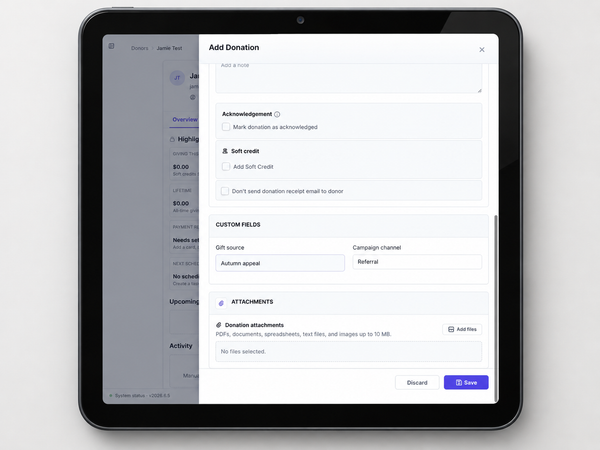
Your Mission. Your Donation Fields
Keep the details your team needs. Create custom donation fields directly in Gratona and capture information alongside donations and sponsorship payments. Include those details in worksheets and exports. Keep gift specific information where your team can find and use it, rather than tracking it separately. Learn How to Add Donation Fields
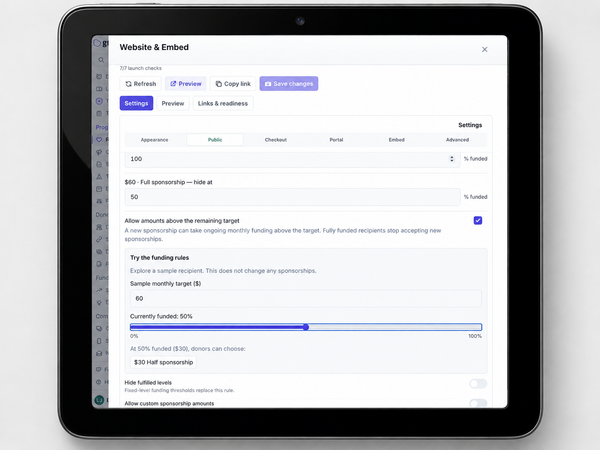
Bring Unmet Sponsorship Needs Into View
Help donors see where support is still needed. In contribution based programs, set sponsorship levels around remaining funding and choose to show less funded recipients first. Preview your funding rules before saving changes. Give supporters clearer amounts to choose from and help your team highlight unmet needs.
Explore Sponsorship Funding Controls
The Event Ends. The Connection Continues
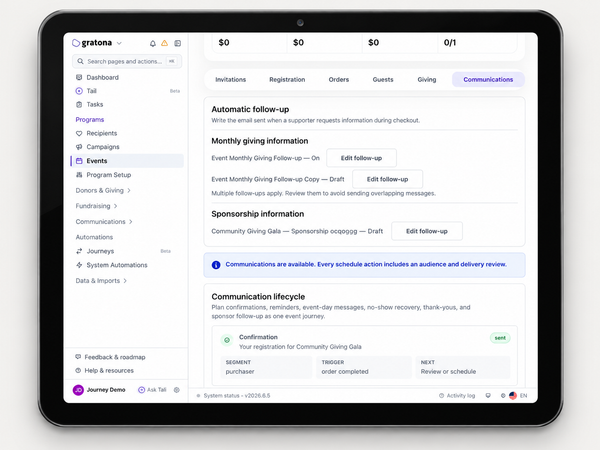
Give every event a thoughtful next step. Build automatic Journeys around supporter interests, registrations, attendance, cancellations, and no shows. Editable starting templates help your team follow up with people interested in monthly giving or sponsorship. Keep messages relevant and next steps moving, without coordinating every follow-up by hand. Explore Automatic Event Follow-Ups
Clearer QuickBooks Syncs. Easier Recovery
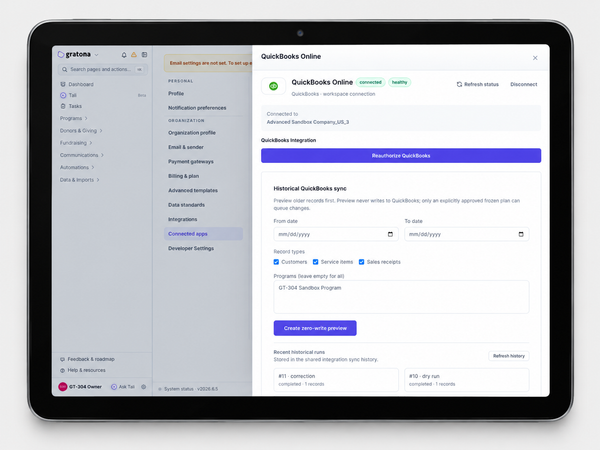
Review before you sync. Resolve issues with clearer guidance. Preview historical records before sending them to QuickBooks, review problems, and retry eligible failed syncs. Separate refund handling and reconciliation for supported Stripe payouts, fees, and disputes help your team keep financial records aligned.
Explore QuickBooks Sync and Recovery
🔔 Some Fixes & Minor Features
- Faster records and reports: Open donor and recipient profiles, work with donation and sponsorship worksheets, and preview reports with less waiting.
- Website and checkout controls: Adjust recipient cards for mobile, tablet, and desktop. Preview checkout while changing its settings.
- Donor Quick Actions: Find donors, add donations, or log interactions without visiting the donor list first.
- Check numbers on receipts: Capture check numbers during checkout or donation entry and include them on receipts, preserving leading zeros.
- Smoother imports and exports: Reduce stalled jobs, misleading progress totals, and errors when importing valid older CSV files.
- Fewer duplicate emails: Delivery checks help reduce repeat receipts and other messages after an uncertain delivery response.
- Split donation corrections: Correct eligible offline split gifts while keeping allocations and related supporter recognition consistent.
- Follow-ups during donor merges: Keep stewardship follow-ups and valid reminders connected to the correct donor when records merge or a merge is undone.
What’s Next?
We’re continuing to improve how you connect with donors and manage your programs:
- Faster and more reliable experiences across devices
- Stronger communication tools across email and SMS.
- More control over data, automation, and workflows.
“Let us not become weary in doing good, for at the proper time we will reap a harvest if we do not give up.”
Galatians 6:9, NIV
Thank you for being part of the Gratona community. Together, we can make the work behind your mission simpler, more connected, and more impactful.
The Gratona Team