
7 New Features to Explore in Gratona This September
Gratona
This Month’s Number: 30
An average, nonprofit organizations spend 30% of their day managing data between systems. For teams already balancing fundraising, donor relationships, sponsorships, programs, and events, every disconnected workflow adds more work.
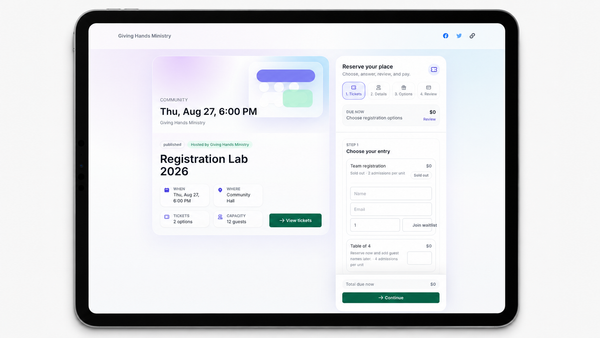
This month, Gratona brings that idea to life with registration first events workflows, connecting event setup, tickets, registration, waitlists, check-in, and reporting in one workflow.
Less switching. Less manual work. More time for your people and your mission.
Registration First Events Workflows
Make every event easier to manage. Gratona Events now brings the registration journey together from setup through public registration, waitlists, check-in, and reporting. Configure tickets, admissions, attendee groups, questions, and attendee details in one connected workflow. Less switching between tools. More time to bring people together. Explore Event Registration
Sponsorship Lifecycle Controls
Keep every sponsorship relationship moving forward.
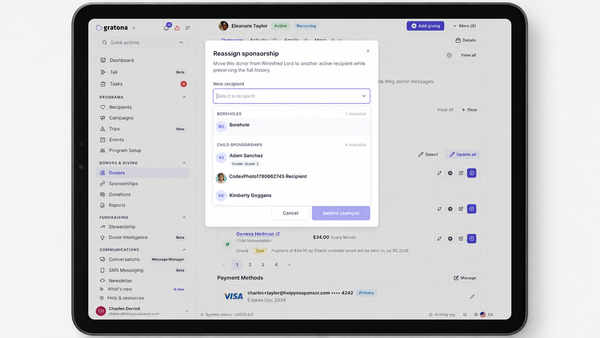
When a recipient leaves a program, staff can now reassign or archive the sponsorship while seeing the billing impact before confirming the change. Sponsorships can also be archived and restored individually or in bulk, preserving relationships and history along the way. Learn How to Manage Sponsorship Changes
Use One Report Everywhere
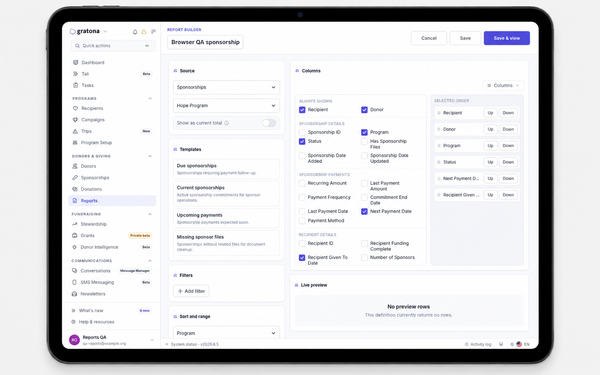
Create it once. Use it everywhere. Saved reports now open consistently from worksheets and Report Builder across desktop and mobile. Reuse the same report instead of rebuilding filters and columns, making recurring reporting faster and more consistent. Learn How to Reuse Reports
Build and Run Reports With Confidence
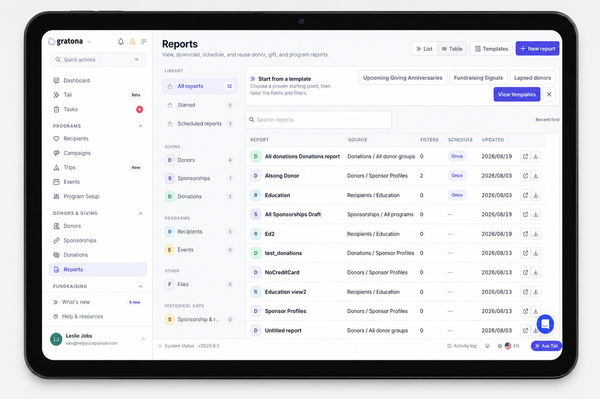
Find the information you need faster. Teams can now switch between list and table views, search and sort report rows, and use date presets that stay current whenever a report runs. Reporting becomes easier to explore, reuse, and share across your organization. Explore Reporting Tools
Donor Form Field Manager and Identity Rules
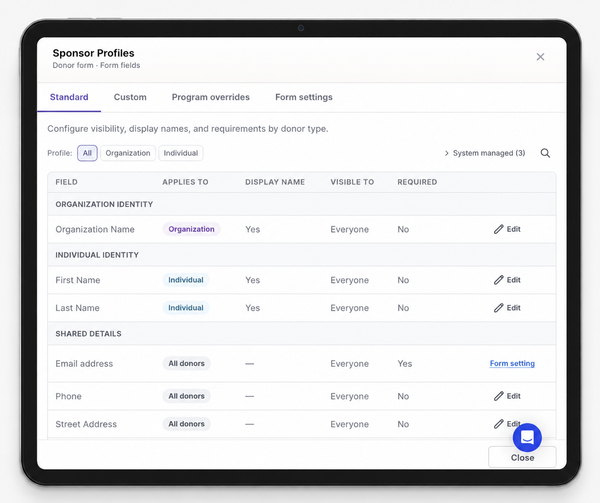
Build forms that fit your organization. Manage Standard fields, Custom fields, Program overrides, and Form settings from one workspace. Gratona also applies Individual and Organization identity rules consistently across forms, checkout, portals, trips, events, imports, and administration. Explore Donor Form Settings
Admin Workspace Sign-In Redesign
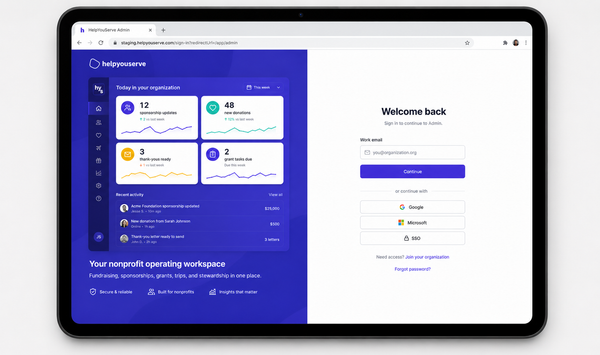
A simpler way into your workspace. The Gratona sign-in experience now provides clearer workspace context across desktop and mobile. Admins can switch between email-code and password sign-in without losing an email-code session already in progress. See the New Sign-In Experience
🔔 Some Fixes & Minor Features
- Faster Donations Worksheet: Improved loading, search, filters, sorting, saved views, and pagination.
- Live Stripe Connect Account Status: See whether payments and payouts are enabled, restricted, or require action.
- Bulk Donor Type Editing: Update multiple donor profiles between Individual and Organization types.
- Built-In Donor Account Fields: Clearly distinguish Username and Primary email from custom donor fields.
- Managed Dropbox Sign States: Get clearer guidance when trip e-signature setup needs attention.
- QuickBooks Customer Custom Field Sync: Keep mapped donor and customer attributes aligned.
- Export Requests in the Activity Log: See who requested an export and the filters, fields, and delivery method used.
- Filter Recipients by Age Everywhere: Search and report on recipients using age values and ranges.
- Show Every Sponsor on Recipient Reports: See sponsor names alongside sponsorship counts.
- Sign In With Secure Six-Digit Codes: Access Gratona using a secure email verification code.
- Reach Donors and Send Statements from One Place: Email donors and send year-end statements directly from the donor worksheet.
- Find Sponsorship Records Faster: Search sponsorships using broader field names and aliases.
- Create Recipient Fields from the Worksheet: Add custom recipient fields without leaving the worksheet.
- Open Donor Profiles from Donation Records: Move from a donation directly to the related donor profile.
- Organization-Specific Donor Fields: Use your organization's custom and system fields in donor reports.
- Bloomerang Integration Sync History and Reliability Controls: Review sync runs, outcomes and field changes to quickly identify and troubleshoot synchronization issues.
What’s Next?
We’re continuing to improve how you connect with donors and manage your programs:
- Faster and more reliable experiences across devices
- Stronger communication tools across email and SMS.
- More control over data, automation, and workflows.
“Whatever you do, work at it with all your heart, as working for the Lord.”
Colossians 3:23
Thank you for being part of the Gratona community. Together, we can make the work behind your mission simpler, more connected, and more impactful.
The Gratona Team